
Users, groups, and roles
Create users and group them by site, warehouse, zone, shift, function, inbound team, fulfilment team, dispatch team, partner group, or supervisor level.
Warehouse Management System
This warehouse management system runs real-time inventory tracking, barcoding workflows, and cycle counting across multi-site fulfilment operations. It integrates with automated storage and retrieval systems (ASRS), conveyor systems, and sorting hardware to keep fulfilment running smoothly at volume. Cross-docking logic calculates efficient picking, packing, and slotting to reduce warehouse bottlenecks, while continuous data synchronisation across sites keeps bill-of-lading documents and operational reporting accurate. Priced at a sweet spot against typical enterprise per-user licensing, your initial investment can reach break-even quickly, then keep delivering savings year after year instead of ongoing subscription fees. Because Volt X customises each product around how you operate, the efficiency and performance gains in daily use can pull that break-even forward and help you see return on investment sooner.
A strong WMS is not just an inventory screen. It is the operating layer that keeps stock, people, locations, orders, and fulfilment moving with control. Volt X WMS connects inventory accuracy, receiving discipline, location control, picking execution, packing quality, dispatch readiness, exception handling, and operational visibility into one tailored product foundation. It is designed to match how your warehouse receives, stores, moves, fulfils, returns, and reports on stock without forcing your teams into a rigid off the shelf model.
Volt X advantages
Volt X WMS is built around the essential capabilities expected from a mature warehouse management system. It covers inventory control, receiving, putaway, locations, slotting, picking, packing, dispatch, returns, exceptions, quality checks, labour visibility, and warehouse performance.
The advantage is that these capabilities are not locked into a generic warehouse model. They can be shaped around your physical layout, product types, storage rules, fulfilment channels, order volumes, team structure, service levels, partner handoffs, and reporting language.
VOLT X ADVANTAGE 1
Warehouse data needs careful control. Not every user should see every stock adjustment, location change, pick task, dispatch release, or management dashboard. At the same time, different warehouse teams need different WMS dashboards because they track different work. Warehouse managers need throughput, backlog, and labour views. Inventory teams need stock accuracy and cycle count status. Inbound teams need receiving and putaway progress. Fulfilment teams need picking, packing, and dispatch status. Leadership needs a clear view of warehouse performance, cost, risk, and service levels.
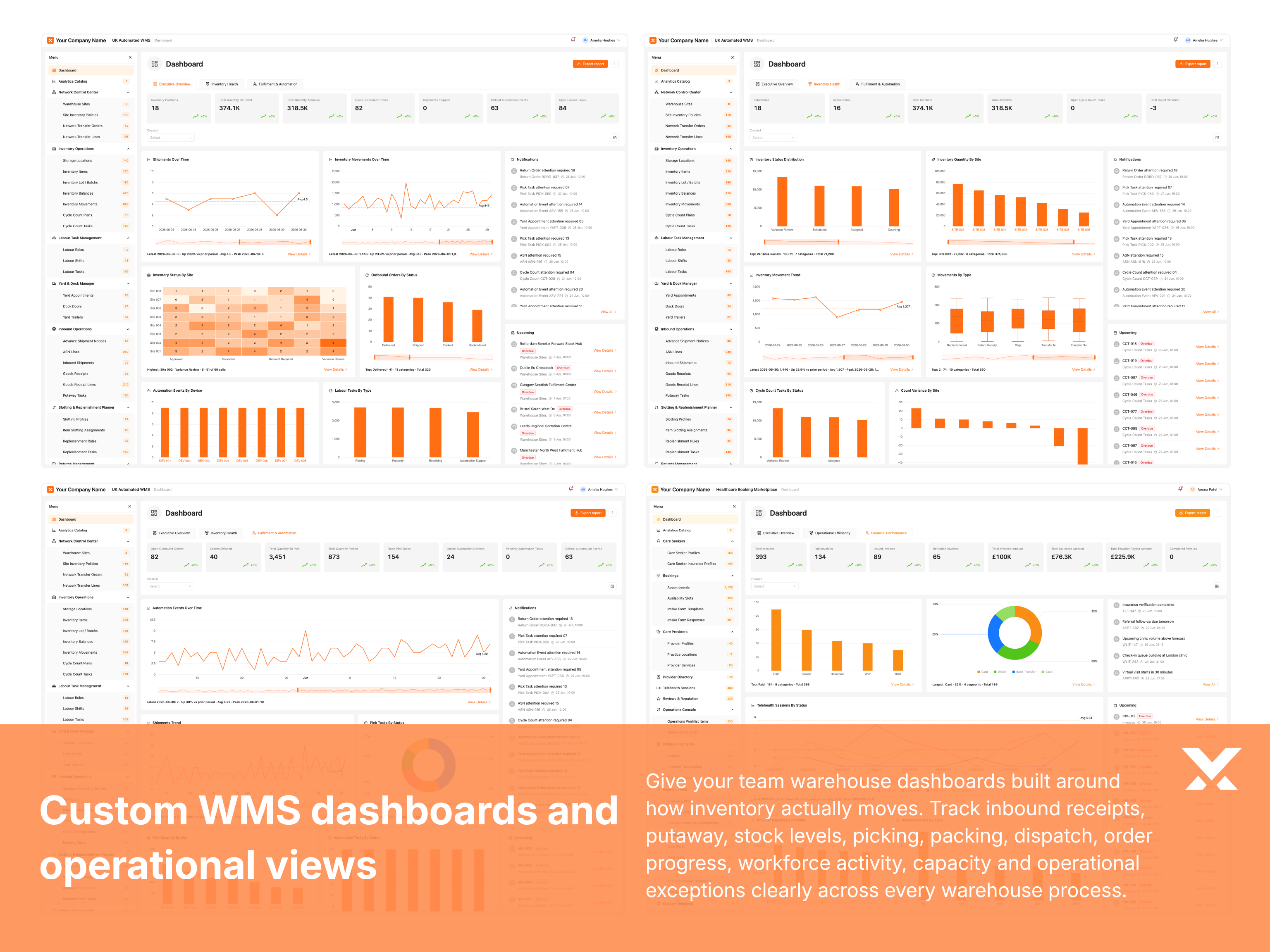
Volt X WMS includes users, user groups, roles, and permissions alongside a full catalogue of custom dashboards built around your warehouse operation. Dashboards can be designed around your sites, zones, product categories, order types, fulfilment channels, stock rules, shifts, teams, and service levels. Each dashboard can be mapped to roles and permissions, so every user sees the right information and actions for their work.
Good RBAC and dashboard design work together. Volt X can configure access and workspace views so each operator, supervisor, inventory controller, and manager sees the stock, tasks, and controls needed for their role.
VOLT X ADVANTAGE 2
Not every warehouse needs the same WMS modules. Some need inventory control, receiving, and fulfilment. Some need returns, quality checks, replenishment, slotting, wave planning, labour tracking, carrier coordination, kitting, cross docking, or yard management. A custom WMS should allow you to choose what belongs in the product.
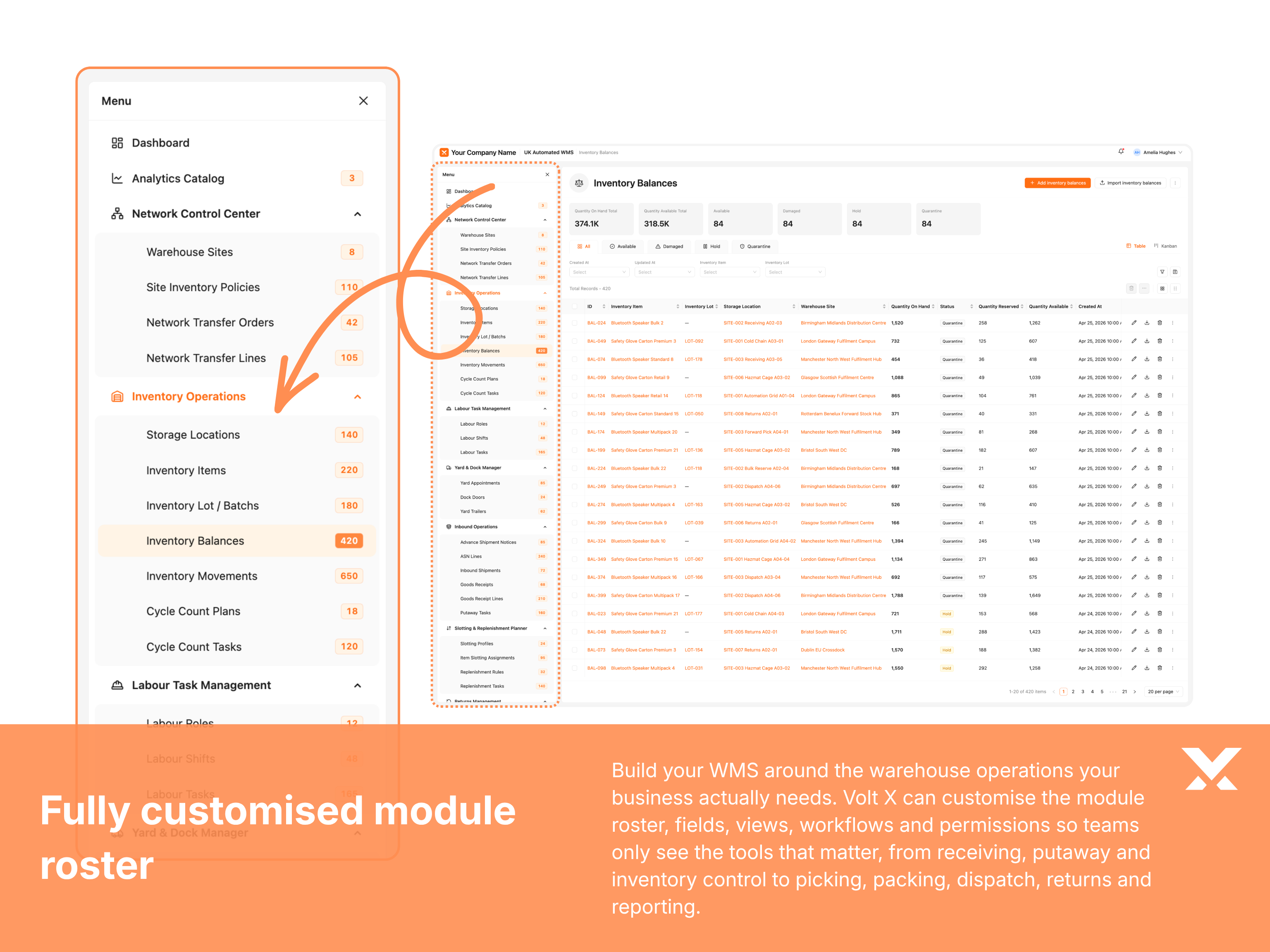
Volt X WMS starts with a mature module roster, but every module can be adjusted. You can keep the modules you need, remove the ones you do not need, rename modules using your own warehouse language, and customise forms, fields, workflows, reports, permissions, and dashboards inside each module.
This gives you the benefit of a mature WMS starting point without being locked into a fixed warehouse structure. Volt X can shape the product around the modules your teams actually need.
VOLT X ADVANTAGE 3
Not every warehouse moves stock, orders, and exceptions through the same process. Some teams inspect goods before putaway. Some need supervisor approval before stock adjustments. Some need quality checks, replenishment triggers, pick validation, packing confirmation, dispatch staging, or returns review before fulfilment is complete.
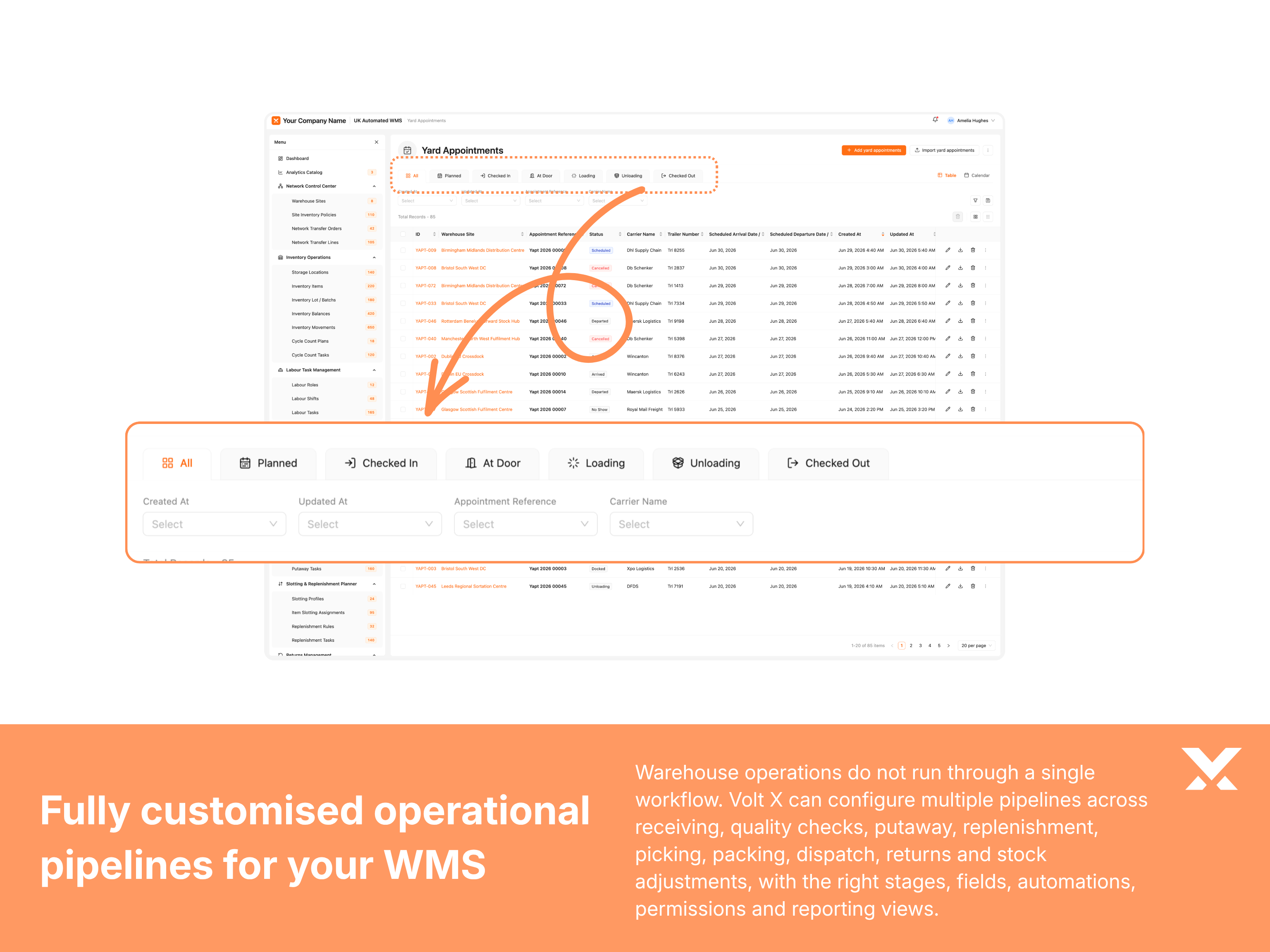
Volt X WMS starts with a mature workflow foundation, but pipelines and processes can be tailored around your actual warehouse motion. You can rename stages, add or remove steps, customise fields, configure filters, adjust reporting views, and shape automations around how your team receives, stores, picks, packs, dispatches, and resolves exceptions.
This gives your warehouse pipelines and processes that reflect real floor behaviour instead of forcing teams into a generic structure. Users can track stock and orders clearly, manage handoffs properly, and report on the stages that actually matter.
VOLT X ADVANTAGE 4
A WMS only works when warehouse teams actually use it. Operators, supervisors, inventory controllers, and managers all need different ways to view the same stock, locations, tasks, orders, and exceptions. Some users work best with tables. Some need cards, task queues, dashboards, quick actions, saved filters, or role-specific navigation.
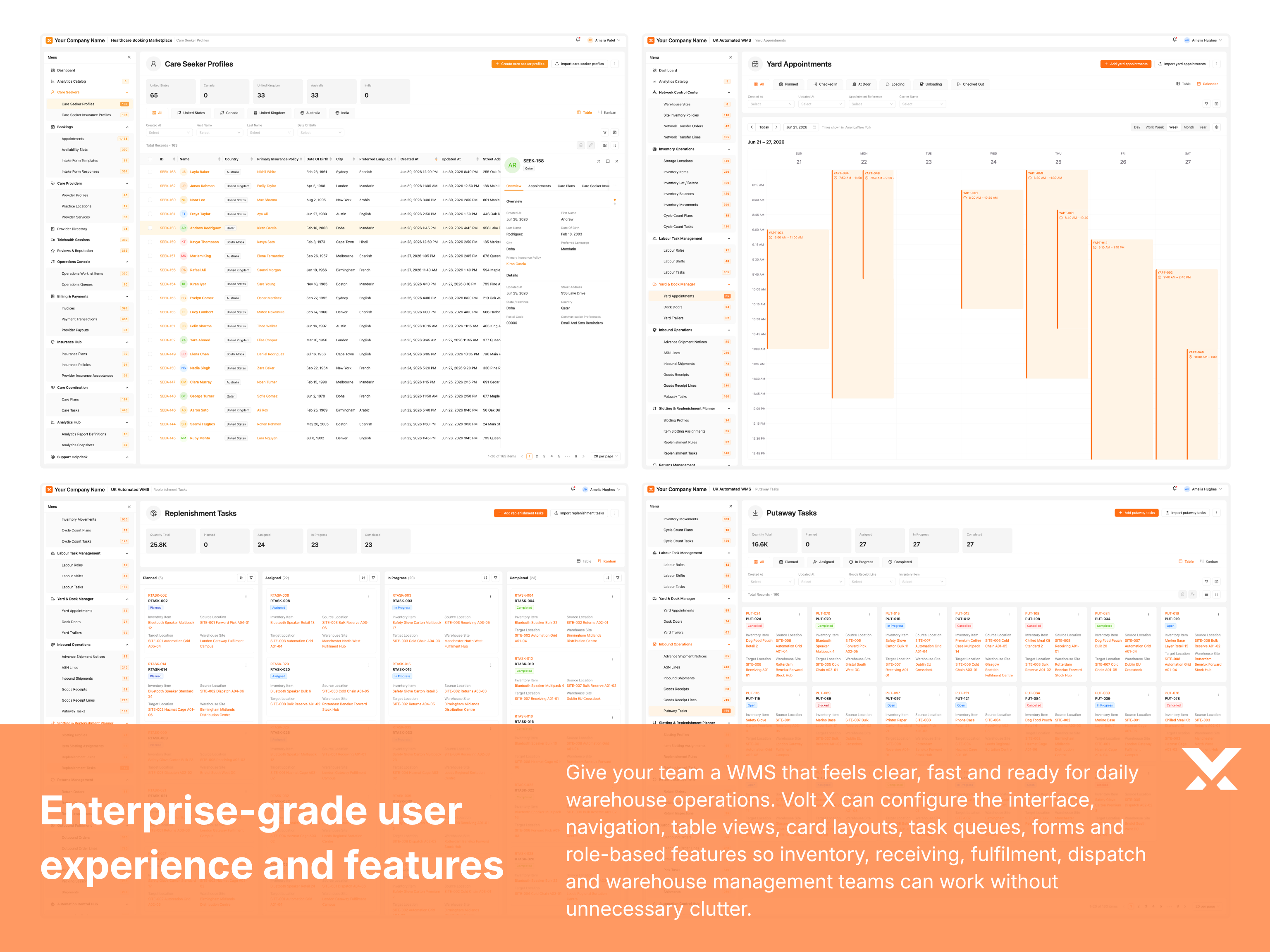
Volt X WMS can be configured around the way your teams work every day. The interface, navigation, table views, card layouts, task queues, forms, dashboards, and role-based features can all be shaped around your users, so the product feels clear, fast, and ready for real warehouse work.
This gives your warehouse an enterprise-grade WMS experience without unnecessary clutter. Each team gets the views, actions, and workflows they need, while the platform remains consistent, structured, and easy to use across sites and functions.
VOLT X ADVANTAGE 5
A WMS should give teams a clear view of each SKU, location, inbound shipment, pick task, order, return, or exception case, not just a list of records. Warehouse, inventory, fulfilment, finance, and leadership teams often need to see different information about the same stock item, bin location, receipt, order line, or adjustment event.
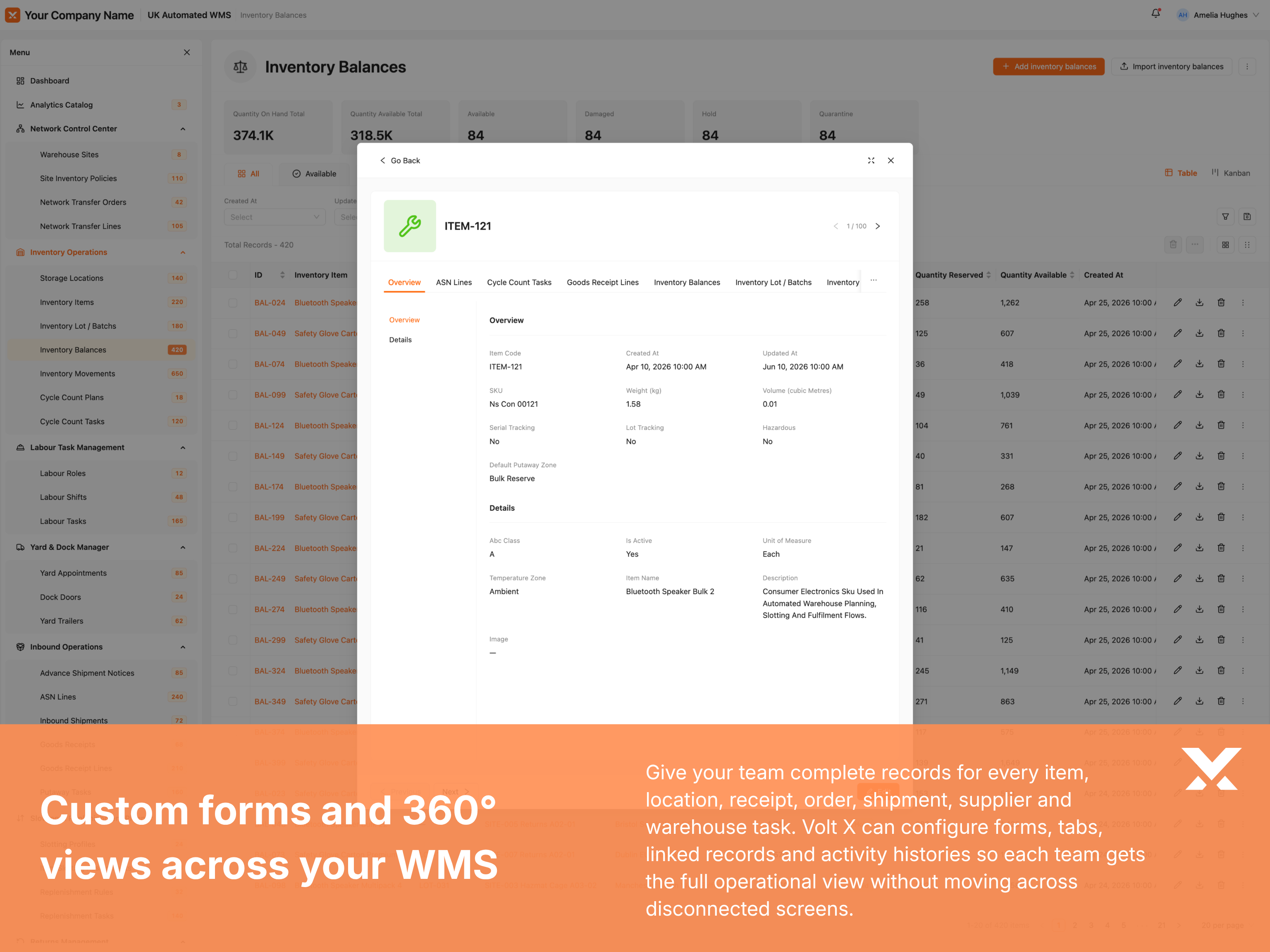
Volt X WMS can be configured with custom forms and detailed 360 views that bring the right warehouse information into one structured workspace. You can tailor fields, sections, tabs, related records, activity history, documents, movements, approvals, quality checks, dispatch status, and ownership details around the way your organisation manages warehouse entities.
This gives your teams a complete warehouse entity view without forcing them to search across disconnected screens. Each record can show the information, relationships, actions, and history needed to understand the stock or task and move work forward.
VOLT X ADVANTAGE 6
Warehouse users often need access while moving through the floor. Receivers may need to validate goods at the dock. Pickers may need task lists and barcode checks. Inventory teams may need cycle count screens. Supervisors may need to review workload and exceptions without returning to a desk.
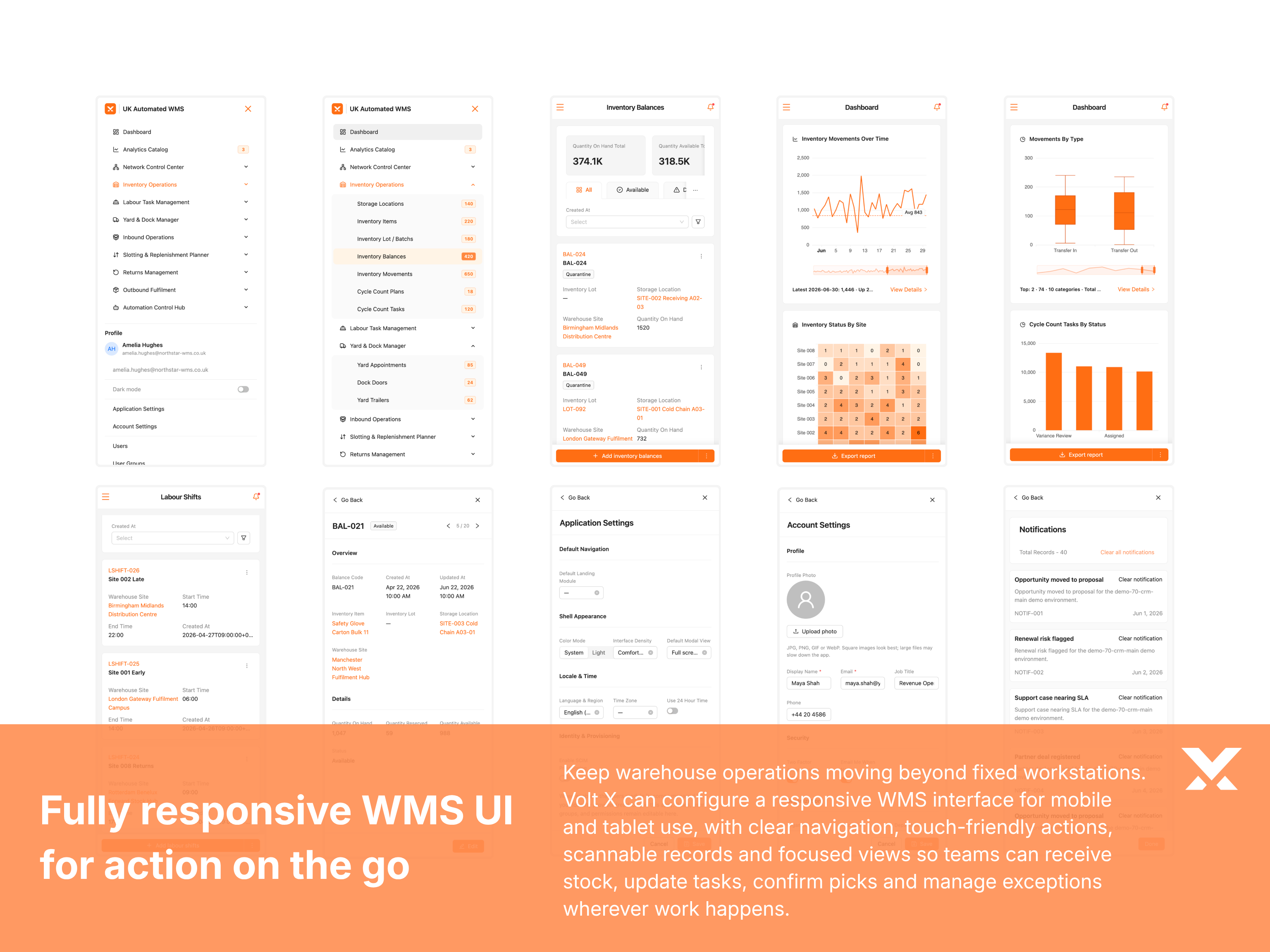
Every Volt X product is responsive and can support mobile views. For WMS, the mobile experience can be configured from full web parity to focused floor level screens. Some roles may need broad WMS access on mobile. Others may only need task execution, scanning, stock lookup, exception capture, and approval actions.
Mobile WMS should not just be the desktop product squeezed into a smaller screen. Volt X can configure the mobile views module by module and role by role, so each warehouse team gets the right features when work is happening on the floor.
VOLT X ADVANTAGE 7
Strong enterprise software is not only about modules and workflows. It is also about how easy the product feels during daily use. Warehouse teams often work through long shifts, dense operational data, and fast-moving task screens, so accessibility and display comfort matter.
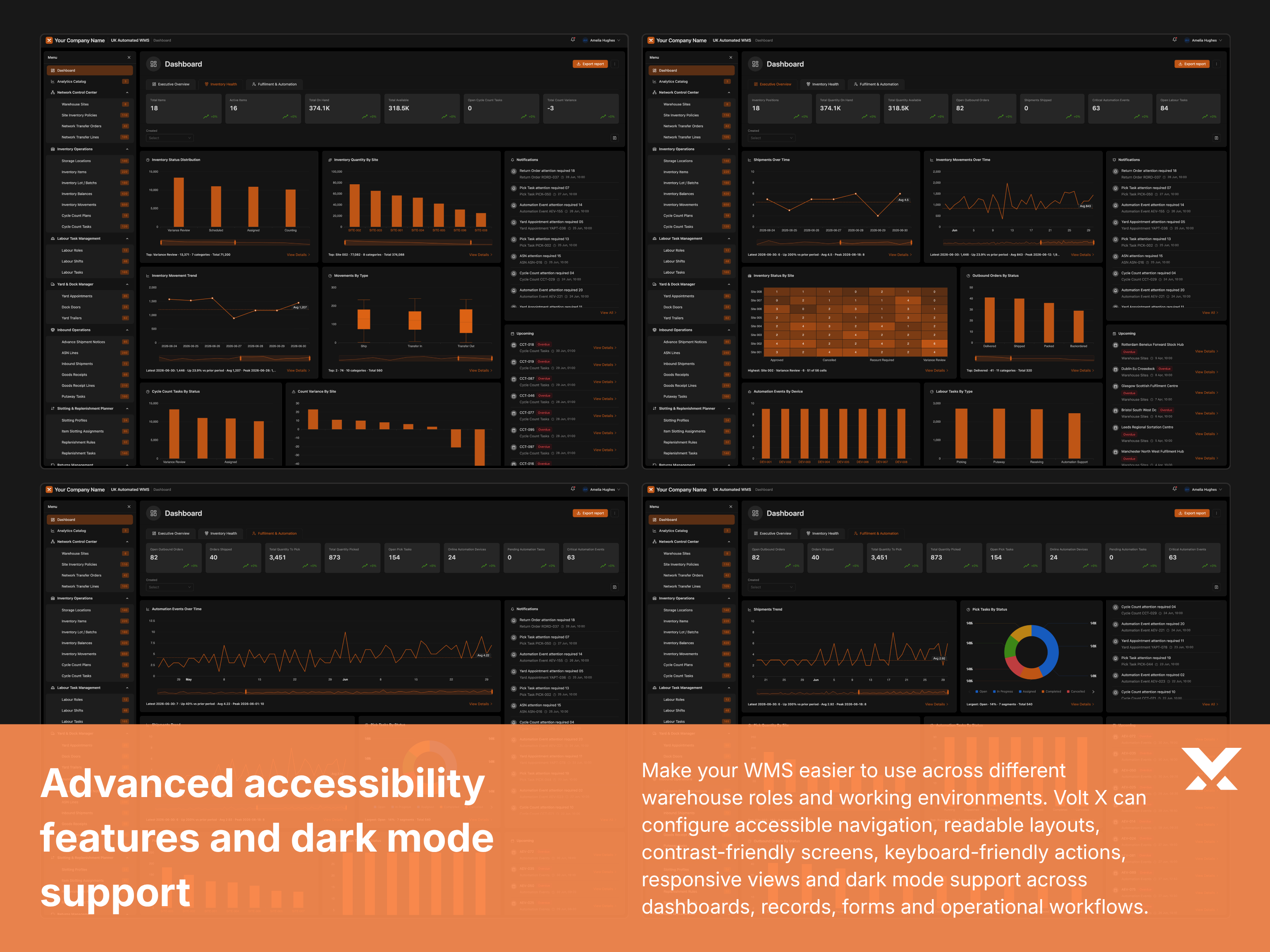
Every Volt X product system includes a consistent set of interface controls so teams can work in the layout that suits them. That includes list and card views, column management, hide-and-show stats cards, saved filtered views, keyboard navigation, readable states, responsive layouts, dark mode, and the other practical controls that make a product system feel mature from day one.
These controls are part of the shared Volt X product foundation, not optional extras. Teams can tune how warehouse data is shown, reduce visual noise, save useful views, switch display modes, and work comfortably while staying inside governed permissions and audit rules.
Enterprise controls
A high quality WMS must do more than manage inventory and fulfilment. It also needs the enterprise controls that make the system dependable: users, roles, permissions, configuration, auditability, integrations, security, and operational governance.
These controls are adapted to the WMS context so your teams can manage stock, tasks, locations, reporting, integrations, and operational settings without turning everyday administration into a technical dependency.
Volt X delivery model
This gives every project a strong starting point across workflows, data, roles, permissions, interfaces, and delivery logic before customisation begins.
This model gives you the flexibility of custom software without turning the project into an open ended build. Whether we start from a known product category or a new business use case, Volt X creates a structured enterprise foundation first, then shapes the software around your workflows, approvals, integrations, reporting needs, brand system, and operating model. The result is software that feels tailored to your business, but is built with the structure, consistency, and quality control of a mature product system.
No licensing trap
Licensed off-the-shelf software keeps you renting seats, accepting vendor roadmaps, and paying repeatedly for capability you never fully control. Volt X builds customised enterprise software that is deployed into your environment and delivered as a software asset your organisation owns.
That ownership changes what is possible: you control the roadmap, define the data boundary, extend the software on your terms, and where your strategy allows, productise, white-label, or offer the solution to a wider market. No perpetual subscription dependency. No vendor holding the keys.
Your cloud, your data residency rules, your security boundary. The software runs where your governance model requires, not on a vendor-controlled multi-tenant estate.
After delivery, the application is your organisation's software asset, not a rented instance or a licence that disappears when commercial terms change.
The custom software we build for you is not sold back to you through per-seat licensing. It is deployed into your environment as software your organisation owns.
Where your strategy allows, you may productise, white-label, extend, or offer the solution to a wider market. Those freedoms are often constrained by licensed platforms. With owned software, they can be defined around your commercial strategy.
You are not dependent on someone else's release calendar, pricing changes, feature removals, or end-of-life notices. Your team can operate, extend, and integrate the software on your terms.
Every Volt X solution is shaped around your workflows, roles, approvals, integrations, data structures, and brand before delivery, so what you own already reflects how your organisation operates.
Adjacent products
Pair WMS with other Volt X foundations so inventory, orders, finance, and customer operations stay aligned on one lineage.
Start a conversation
We look forward to hearing from you.
What happens next
Prefer email? business@yourvoltx.com
Product System Highlights
A structured view of the Warehouse Management System foundation, module breadth, data model depth, operational coverage, and the product system elements that support serious enterprise delivery.
Business modules
Structured modules covering the core workflows, entities, and operational areas expected from a mature product system foundation.
Total attributes
Data fields, properties, and configuration points mapped across modules so the product system can be shaped to your business model.
Operations and actions
Defined operations, transitions, and user actions that support day to day execution across teams, roles, and workflows.
Additional value adds
Extra capabilities, accelerators, and product system extensions that strengthen usability, control, and delivery beyond baseline modules.
Configurable workflows
Workflow patterns, approval paths, and process structures that can be tailored without rebuilding the underlying product foundation.
Integration touchpoints
Connection points for data exchange, APIs, events, and third party systems so the product system fits into the rest of your enterprise applications.
Proof of value
Volt X WMS is designed to improve the operational performance of your warehouse by strengthening stock accuracy, fulfilment discipline, picking productivity, labour visibility, dispatch control, and exception management.
When tailored around your warehouse model and adopted properly by your teams, Volt X WMS can help deliver measurable gains across inventory control, throughput, labour efficiency, fulfilment quality, and operating cost.
Potential stock and picking accuracy
Volt X WMS is built to help teams move towards high accuracy warehouse operations by controlling stock records, bin locations, receiving checks, pick validation, packing confirmation, and exception handling. With the right warehouse discipline and system adoption, the WMS can support stock and picking accuracy targets in the 99 percent plus range.
Potential picking productivity improvement
Volt X WMS is designed to reduce avoidable movement, unclear picking paths, manual lookup, duplicate handling, and poor task sequencing. By structuring pick waves, routes, zones, priorities, and order grouping around your fulfilment model, it can potentially support meaningful picking productivity improvement.
Potential overtime reduction
Volt X WMS gives warehouse leaders clearer control over workload, order pressure, labour utilisation, exception queues, dispatch readiness, and daily execution. With better visibility and task discipline, the system can help reduce overtime created by late visibility, poor prioritisation, and operational firefighting.
Potential packaging and fulfilment efficiency gain
Volt X WMS can help improve packing and fulfilment efficiency by connecting item dimensions, order profiles, carton logic, packing checks, dispatch requirements, and exception controls. With the right configuration, it can support measurable reduction in packaging waste, rework, and fulfilment inefficiency.